
Tycoon Casino App Download for Android (apk) and iOS (Latest Version)
The Tycoon Casino app represents a convenient way to access casino games, sports betting, and live dealer tables from a mobile device. It is available for both Android and iOS users, with support for English and French languages. The application typically houses over 800 events covering sports, casino, and live game categories.
Regular updates and improvements ensure consistent performance of the Tycoon Casino APK. The interface design prioritizes user convenience, placing all major functions within a single tap.
Download our App


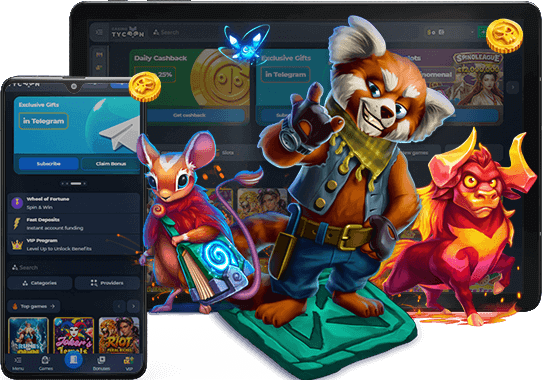


The accessibility of bonuses, account management, and payment processing through the app makes it a practical companion for players who prefer gaming on the go.
What is the Tycoon Casino App?
The Tycoon Casino app is a dedicated mobile application that mirrors the full functionality of the desktop website. If a player were to compare it with the browser version, the app would offer faster load times, smoother navigation, and the convenience of push notifications. This combination of features explains its growing popularity among users who prefer playing from their phones or tablets.
Both Android and iOS operating systems are supported. If a device runs Android 6.0 or higher, or iOS 13 and above, the application should function without complications. The conclusion is straightforward: regardless of your preferred platform, there is a version of the app tailored for your device.
Download App .apk for Android
The Android version of the Tycoon Casino app delivers the full range of platform features in a compact package. It is designed to run smoothly on a wide selection of devices, maintaining stable performance across different screen sizes and hardware configurations. The following points highlight key aspects of the Android app.


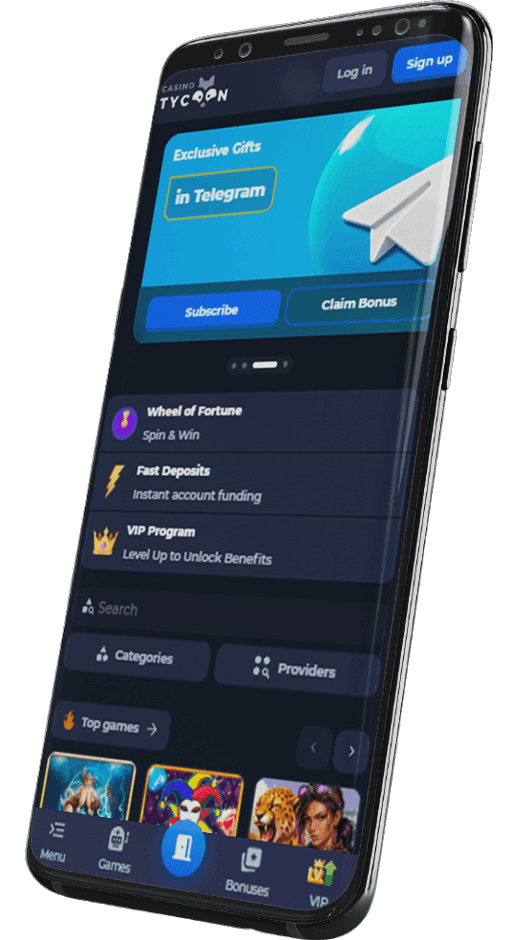
How to Download and Install Tycoon Casino app for Android (apk file)
The Tycoon Casino Android app can be obtained from the official website or the Google Play Store. It is strongly recommended to avoid downloading the APK file from third party websites or unofficial sources, as such files could be modified or counterfeit. Sticking to trusted sources guarantees both safety and full functionality.
The installation process involves the following steps:
- Go to the settings of your device. Before downloading from the official site, navigate to your phone's security settings and enable the option to install applications from unknown sources. This permission is necessary because the APK is not sourced from the default app store.
- Find the app. Open your mobile browser and visit the official Tycoon Casino website, or search for it on the Google Play Store. Locate the download section for the Android application.
- Download Tycoon Casino APK. Tap the download button and wait for the file to be saved to your device. The file size is compact, so the process takes only a few moments on a stable connection.
- Complete the download process and install the app. Once the APK file is downloaded, open it from your notifications panel or file manager. Follow the on screen prompts to complete the installation, then launch the app and log in to your account.
Supported Android Devices
The Tycoon Casino Android app is compatible with a broad range of devices running Android 6.0 or later. Because the application is designed with flexibility in mind, it functions on smartphones and tablets from numerous manufacturers, including Samsung, Xiaomi, Huawei, Google Pixel, and others.
A table of supported device models is provided below for reference. If a particular device model does not appear on the list, that should not be a cause for concern. As long as the phone or tablet meets the minimum operating system requirement, the app will download and install without trouble.
Download Tycoon Casino App for iOS (iPhone and iPad)
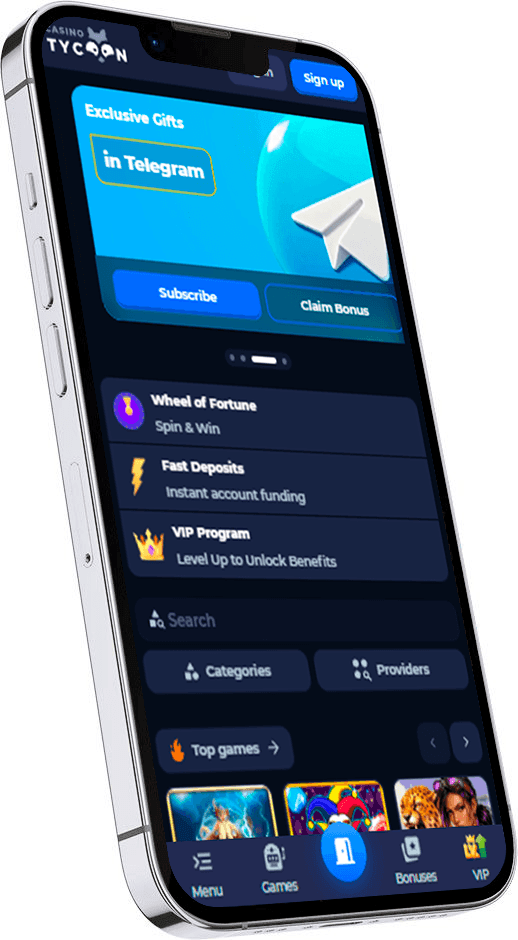
The iOS version of the Tycoon Casino app is built to take full advantage of Apple's hardware and software ecosystem. It usually delivers a fluid experience across both iPhones and iPads, with a clean interface and responsive controls.
How to Download Tycoon Casino App for iOS Devices
The Tycoon Casino iOS app can be found on the official website or in the App Store. If a player chooses to download it, the safest approach would be to use one of these two sources exclusively. Downloading from unofficial websites could result in counterfeit versions that compromise device security. The app works on both iPhones and iPads, so either device type is suitable.
The following steps outline the download and installation process:
- Download Tycoon Casino app from the site. Visit the official Tycoon Casino website using Safari or another mobile browser. Locate the iOS download button and tap it. If the link redirects to the App Store, proceed from there.
- Complete the download process. The file will begin downloading automatically. If prompted, confirm that you trust the source. The download should finish within a minute on a standard internet connection.
- Install the app. Once the download is complete, the app icon will appear on the home screen. Tap it to open the application, and if required, go to Settings, then General, then Device Management, and approve the developer profile before launching.
Supported Apple Devices
The Tycoon Casino iOS app supports a wide range of Apple devices running iOS 13 or newer. If a device meets this minimum requirement, the application should install and operate without issues. This includes various iPhone models starting from iPhone 6s and iPads from the fifth generation onward.
A table listing specific supported models is available in this section. If your particular model is not featured on the list, that does not necessarily indicate incompatibility. As long as the device runs iOS 13 or a later version, downloading and running the app should proceed smoothly.
Download Tycoon Casino App for PC (Windows and MacOS)
There is no dedicated desktop application for Tycoon Casino on Windows or MacOS. The platform does not currently offer a standalone software package for these operating systems.
However, several alternatives are available. Players can add the Tycoon Casino website to their browser bookmarks for quick access, which usually provides an experience comparable to a native application. Another option involves using a mobile emulator on the desktop, which allows the Android or iOS app to run within a simulated environment on a PC or Mac.
For players who already have the mobile app, using it alongside the browser version often covers all needs. The website is fully optimized for desktop browsers, so there is typically no loss of functionality compared to a dedicated program.
Tycoon Casino Mobile App Main Features
One common concern about mobile apps is whether they offer the same scope of functionality as a full desktop site. In the case of Tycoon Casino, both the iOS and Android apps replicate all the features found on the browser and desktop versions of the platform.
If a feature is accessible on the website, it should also be available within the app. This includes live games, promotional offers, account settings, and payment processing.
As a result, there is no need to worry about a diminished experience when switching to a mobile device. The sections below cover the standout features in greater detail.

Live Betting
The Tycoon Casino app includes a full live betting section that allows players to place wagers on sporting events as they unfold in real time. Odds are updated continuously, reflecting the current state of each match or game. The interface is structured so that navigating between different sports and markets requires minimal effort.
Live betting through the app also provides access to statistics and match trackers. These tools help players make informed decisions while following the action directly on their screens.

Live Streaming
Live streaming is available within the Tycoon Casino app for selected sporting events. Players can watch matches and competitions directly inside the application without switching to a separate platform. The stream loads within the same interface where betting markets are displayed, creating a seamless viewing and wagering experience.
The quality of the stream adjusts based on internet connection speed, which helps reduce buffering and data consumption. This feature adds a layer of engagement that static scoreboards cannot replicate.

Bet Buyback
The bet buyback feature in the Tycoon Casino app gives players the option to close a wager before the event reaches its conclusion. This can be useful when the outcome appears uncertain or the odds have shifted unfavorably. The buyback amount is calculated based on the current probability of the bet succeeding.
Not all bets qualify for buyback, and the availability of the option depends on the specific event and market. When it is available, a dedicated button appears on the active bet slip within the app.

Bet Insurance
Bet insurance through the Tycoon Casino app provides a form of protection on selected wagers. When this feature is activated, a portion of the stake can be recovered if the bet does not succeed. The insurance cost is deducted from the potential return, and the coverage percentage varies depending on the terms offered.
This option is typically presented at the moment of placing a bet. It is visible directly on the bet slip, allowing for a quick assessment of whether the added security is worth the reduced payout.
How to Update Tycoon Casino App to the Latest Version?
While manual updates of the Tycoon Casino app are possible, they can be somewhat inconvenient. A simpler approach would be to enable automatic updates, which keeps the app current without requiring repeated manual intervention. The process involves the following steps:
- Open your smartphone's settings menu and locate the application management section.
- Find the Tycoon Casino app in the list of installed applications.
- Select the app and look for the update permissions or auto update toggle.
- Enable the automatic update option so the app refreshes itself whenever a new version is released.
Keeping the app updated to the latest version is important for maintaining security, accessing new features, and ensuring stable performance. Outdated versions could lead to bugs, compatibility issues, or the inability to access certain functions.
Advantages and Disadvantages of Playing with Tycoon Casino App
Every mobile application comes with its own set of strengths and limitations. The Tycoon Casino app is no exception. Below is a summary of the main pros and cons when compared to using the browser version of the platform.

- Good optimization for mobile devices
- Push notifications for promotions and events
- Faster load times than the mobile browser
- Convenient access with a single tap from the home screen
- Lower data consumption during gameplay

- Requires periodic updates to maintain performance
- Takes up storage space on the device
- Initial installation from the website involves extra steps on Android
Tycoon Casino App Problems and Solutions
Like any mobile application, the Tycoon Casino app may occasionally encounter technical issues. Below is a list of the common problems users report, along with practical solutions for each.
Slow Performance And Lagging
If the Tycoon Casino app begins to lag or respond slowly, several steps can help resolve the issue. First, close all other running applications to free up system resources. Restarting the device often clears temporary memory that may be causing the slowdown. It is also worth checking the available storage space, as a nearly full device can affect performance. Finally, updating the app to the latest version can fix optimization issues introduced in older builds.
App Crashes and Unresponsiveness
Frequent crashes or an unresponsive app can typically be resolved by updating to the latest version. Clearing the app's cache through the device settings is another effective step. If the issue persists, restarting the device may help. As a last resort, uninstalling and redownloading the app from a trusted source such as the official website or app store often eliminates corrupted files that cause instability.
Display Or Functionality Issues
Visual glitches or broken features within the app are often tied to outdated software. Updating the Tycoon Casino app should be the first course of action. Adjusting the screen resolution or display settings on the device can also resolve layout problems. Additionally, ensuring that the phone or tablet runs a current version of Android or iOS helps maintain compatibility with the app's interface.
Login Problems
Difficulty logging in usually stems from incorrect credentials. Double checking the username and password is an essential first step. A weak or unstable internet connection can also prevent successful authentication, so verifying connectivity is recommended. If the password has been forgotten, the recovery option on the login screen allows for a reset via email. Following the instructions sent to the registered email address will restore access to the account.
Tycoon Casino Sports Betting App for Players
The Tycoon Casino app provides a comprehensive sportsbook section covering a wide variety of disciplines. Players can explore markets across football, basketball, tennis, ice hockey, cricket, MMA, and esports, among others. Each sport features multiple leagues and competitions, giving access to hundreds of events at any given time.
Both pre match and live betting options are available within the app. Pre match odds are posted well in advance, allowing for careful analysis before placing a wager. Live betting, on the other hand, enables players to react to the flow of a game as it happens, with odds that update in real time. The combination of these two modes creates a flexible environment for sports enthusiasts.
The sportsbook interface within the app organizes events by sport, league, and time. Filtering tools make it straightforward to locate specific matches or browse upcoming fixtures. Accumulator bets and single wagers are both supported, and the bet slip is easily accessible from any screen within the sportsbook.
Tycoon Casino Casino App for Players
The casino section of the Tycoon Casino app hosts a diverse collection of games from multiple software providers. Players can browse categories or use search filters to find specific titles. The following game types are among the highlights:
- Roulette. Classic European, American, and French roulette variants are all represented. Live dealer versions are also available for those who prefer a more immersive experience with real time interaction.
- Baccarat and other table games. Baccarat, blackjack, poker, and other traditional card games can be found in both RNG and live dealer formats. Each game features adjustable stake levels to suit different playing styles.
- Jackpot and themed slots. The slot library includes progressive jackpot titles with growing prize pools, as well as themed slots inspired by popular culture, mythology, and adventure. These games feature varied mechanics, from standard paylines to cluster pays and megaways formats.
Tycoon Casino Mobile Payments
Processing payments through the Tycoon Casino app is a straightforward procedure. The platform accepts a range of payment methods organized into several categories: bank cards, electronic wallets, cryptocurrency, and direct banking options. All deposit and withdrawal functions are accessible directly from the app's cashier section.
The minimum deposit starts at 1 USD/EUR, making entry accessible for players at all levels. Withdrawals require a minimum of 30 USD/EUR and are processed within a period ranging from several minutes up to 24 hours. Daily, weekly, and monthly withdrawal limits are in place, though VIP players may receive individually adjusted thresholds.
KYC verification may be required before processing the first withdrawal. This typically involves submitting identification documents through the app or website. Once verification is complete, subsequent transactions proceed more quickly.
Tycoon Casino Customer Support
Customer support is available around the clock through the Tycoon Casino app. Players can reach the support team 24/7 via live chat, which is accessible directly from the app's menu. For more detailed inquiries, email communication is available at [email protected].
In addition to direct contact options, the app features a FAQ section that covers common questions about account management, payments, promotional offers, and technical issues. Consulting this section can often resolve questions without the need to wait for a support agent.
FAQ
The legality of using the Tycoon Casino sportsbook app depends on the laws and regulations of the jurisdiction where the player is located. The platform operates under a valid license, and it is the responsibility of each user to ensure that online gambling is permitted in their region before creating an account or placing any wagers through the application.
The Tycoon Casino app is a legitimate application developed and maintained by the official Tycoon Casino team. It can be downloaded from the official website or recognized app stores, which helps confirm its authenticity. Players should avoid third party sources to ensure they are installing the genuine version and not a counterfeit copy designed to steal personal data.
If the Tycoon Casino app fails to install, several steps can be taken to resolve the issue. On Android, check that the device allows installation from unknown sources if downloading the APK from the website. Ensure there is sufficient storage space on the device and that the operating system version meets the minimum requirement. Restarting the device and attempting the installation again often resolves temporary glitches.
The Tycoon Casino mobile app employs encryption protocols to protect personal and financial data during transmission. The application is regularly updated to address potential security vulnerabilities and maintain compliance with industry standards. Downloading the app exclusively from the official website or authorized app stores is the recommended approach to ensure the integrity of the software installed on your device.